Poseit
1ManBandArt & Design
3.9673.00 Reviews
- Version
- 2.2.3
- Installs
- 1.00M
- Age Rating
- Everyone
Screenshots
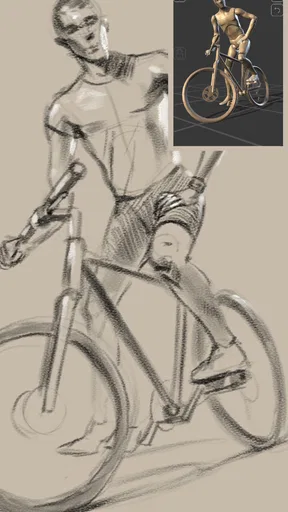
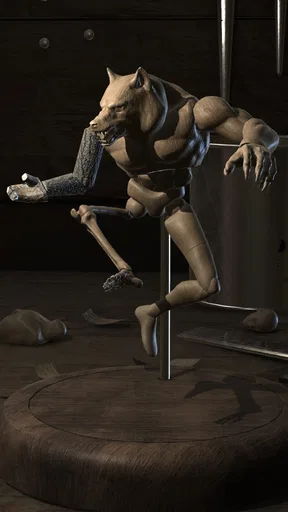
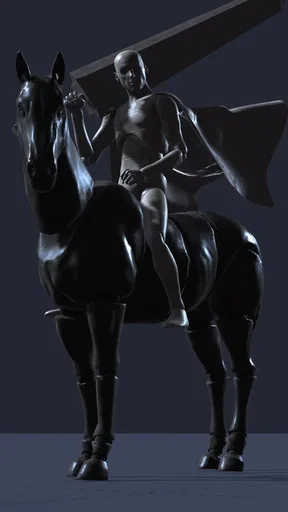
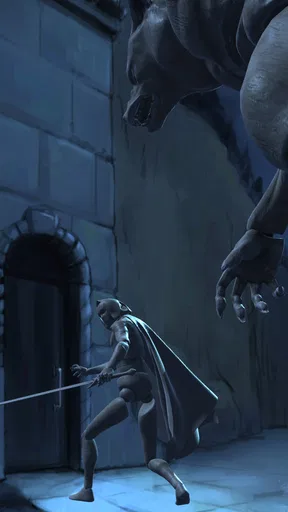
Our Review of Poseit
 Analysis by Appyee
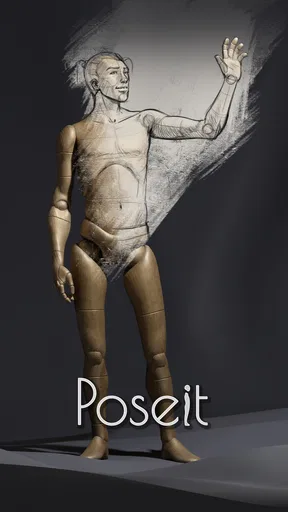
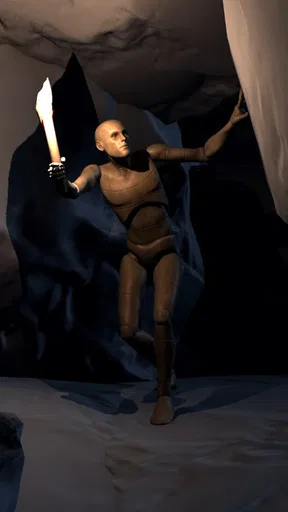
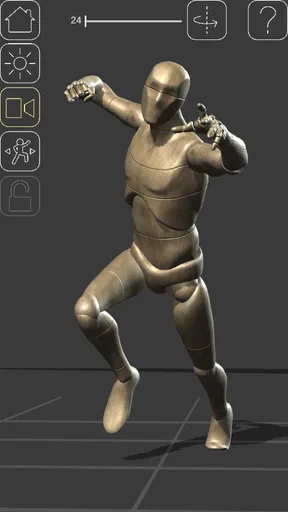
I came to Poseit looking for something more useful than a collection of static anatomy pictures. The app takes a different approach: it gives me a digital mannequin that I can pose, rotate, and use as a reference while drawing the human figure. That makes it especially practical when I know the gesture I want but cannot quite work out the balance, foreshortening, or direction of the limbs.
My overall view is positive, with one important qualification. This is a focused reference tool, not a complete art course and not a replacement for studying anatomy. When I use it as a quick visual scaffold, it saves time and helps me make more confident sketches. When I expect it to supply finished anatomy, clothing folds, facial expression, or natural human movement on its own, it feels much more limited.
Why the mannequin approach works so well
The strongest part of the experience is the freedom to inspect a pose from different viewpoints. A reference image gives me one camera angle. A mannequin lets me think around the figure. I can check whether a shoulder is actually higher than the other, see how the hips tilt, and understand why a leg looks shorter when it points toward the viewer. Those small checks are often more valuable than another polished anatomy diagram.
I find this particularly helpful during the first few minutes of a drawing. Instead of immediately worrying about muscles, fingers, or clothing, I can establish the head, rib cage, pelvis, and main lines of action. The mannequin gives those decisions a visible structure. Once the gesture is working, I can simplify or exaggerate it in my own style.
That makes the app a natural fit for human figure drawing, character design, comic thumbnails, animation planning, and digital painting preparation. It is also useful for artists who work alone and need a quick pose reference without arranging a model or searching through dozens of unrelated photographs.
One of my favorite ways to use it is as a correction tool rather than a starting point. If a sketch feels stiff, I compare its silhouette with a more dynamic pose in the app. If the torso seems twisted in an impossible way, I rotate the mannequin until I can see the construction clearly. This workflow keeps me from blindly redrawing the same mistake.
A practical workflow for everyday sketching
Imagine that I have fifteen minutes before leaving for work and want to make a quick character study. I begin by choosing a broad action: a figure leaning, reaching, crouching, or turning. I adjust the mannequin until the weight seems believable, then make a small thumbnail instead of trying to produce a finished illustration. After that, I change the viewing angle and make a second thumbnail. The two drawings reveal whether I understood the pose or merely copied its outline.
This is where Poseit feels more useful than a static image search. I am not locked into one composition. I can test a pose from the front, side, or a three-quarter view and decide which angle communicates the action best. That extra step is easy to overlook, but it improves visual problem-solving and helps me avoid building a character around a pose that only works from one direction.
Another effective habit is to use the mannequin briefly, then hide it mentally while drawing. I first observe the large masses and the direction of the spine. I then put the device aside and sketch from memory for a few minutes. Returning to the reference afterward shows whether I have learned the structure or simply traced the visual information. Used this way, the app supports practice instead of encouraging permanent dependence.
For beginners, the mannequin can also make anatomy less intimidating. A blank page often creates too many decisions at once. A posed figure narrows the task: find the line of action, place the major masses, and build outward. I would still recommend a separate anatomy book or course, but Poseit gives those lessons an immediate practical context.
Where it helps more than ordinary reference alternatives
Compared with searching for photographs, the app is cleaner and faster when I need a very specific angle. Photo references offer valuable information about real bodies, lighting, fabric, and expression, but finding the exact pose can take longer than drawing. They may also contain visual details that distract from the construction. The digital mannequin reduces the subject to a form that is easier to analyze.
Compared with a traditional wooden artist mannequin, the digital version is more convenient for testing viewpoints. A physical mannequin can be excellent for understanding real light and tangible volume, but it takes space, needs careful positioning, and can be awkward for extreme angles. Poseit is easier to keep beside a drawing session, particularly when I am working on a tablet or phone.
Compared with a full 3D modeling program, it is far less demanding. I do not need to build a scene, learn a complicated interface, or spend time rendering a polished reference. That simplicity is a strength for quick sketches. The trade-off is that it is not the right tool when I need detailed environments, realistic materials, precise lighting, or a fully customized character model.
The app also occupies a useful middle ground between gesture-drawing websites and anatomy references. Gesture resources are excellent for speed and rhythm, while anatomy references explain what lies beneath the surface. Poseit does not replace either one. Its contribution is the adjustable three-dimensional scaffold between them.
The limits I noticed while using it
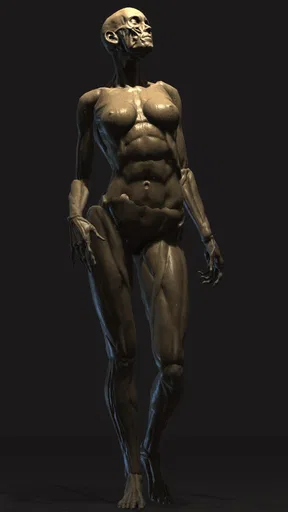
The mannequin is deliberately simplified, and that simplicity can become a weakness if I forget what it represents. It helps me place joints and masses, but it does not automatically teach the subtle compression, stretching, and asymmetry found in a real body. A pose can be mechanically correct yet still look lifeless in the final drawing.
For that reason, I would not use the app as my only anatomy reference. It is not enough for learning how muscles change a silhouette, how skin folds around joints, or how different body types affect proportion. I usually get better results by using Poseit for construction and then checking photographs or anatomy studies for the surface information.
There is also a creative risk in relying on a mannequin too literally. If I copy its proportions every time, my characters can begin to share the same build and stiffness. The best results come when I treat the model as a suggestion. I may lengthen the legs, broaden the shoulders, compress the torso, or bend the gesture beyond what the reference shows.
Another limitation is that a pose reference cannot solve composition by itself. A mannequin can tell me how the body is arranged, but it does not decide where the figure belongs on the page, how the surrounding shapes should balance, or what emotional story the pose should communicate. I still need to make those artistic decisions.
Users should also understand the app’s commercial model before settling into a long-term workflow. It is free to start, while in-app purchases range from $0.99 to $7.99 per item. That does not make the free experience unhelpful, but anyone expecting every possible option without spending anything may find the boundaries frustrating. I recommend using the free version long enough to confirm that the posing method suits your habits before buying anything.
Who will get the most from it
I think Poseit is best for beginners who are learning construction, intermediate artists who need faster thumbnail references, and illustrators who regularly draw characters from unusual angles. It is also a sensible companion for comic artists and animators during planning, when speed and clarity matter more than surface detail.
Students can use it to turn anatomy exercises into active observation. Rather than copying a finished drawing, they can pose the mannequin, predict how the torso will turn, and then compare that prediction with the visible form. That encourages spatial thinking, which is harder to develop from flat reference sheets alone.
It is useful for digital artists who already work on another drawing app as well. I do not see it as a replacement for a painting or illustration program. Its role is closer to a reference window: I pose the figure here, then create the actual artwork elsewhere. That separation keeps the tool focused and prevents me from expecting brushes, layers, or finishing features that belong in a different application.
I would be more cautious about recommending it to artists who need photorealistic reference, detailed costume design, or accurate study of diverse body shapes. A mannequin is a starting framework, not a complete catalog of human variation. Those users will probably get more from photography, life drawing, or a more advanced 3D package.
It may also be a poor fit for someone who dislikes adjusting digital controls. The whole point is to manipulate a figure rather than simply look at an image, so the value depends on being willing to spend a little time setting up the pose. If I need an instant, expressive reference and have no interest in changing the viewpoint, a good photograph may be quicker.
Small techniques that improve the results
My first tip is to build the pose from the center outward. I start with the direction of the torso and the relationship between the rib cage and pelvis before worrying about hands or feet. If the central balance is wrong, refining the extremities only makes the wrong pose more elaborate.
My second tip is to inspect the silhouette at a reduced size. When I zoom out mentally or look at a small thumbnail, I can tell whether the action reads without internal detail. A clear silhouette usually gives me a stronger drawing than a carefully posed figure whose limbs merge into one another.
A third useful approach is to make two references for the same action: one that explains the mechanics and another that improves the composition. The mechanically clear view may be a side angle, while the more dramatic drawing may work better from a three-quarter perspective. Poseit makes that comparison practical because I am not limited to the first angle I happened to find.
I also recommend changing the pose slightly instead of copying it exactly. Move the weight, tilt the head, or exaggerate the reach. This turns the app into a rehearsal space for original ideas. It also exposes whether I understand the figure well enough to adapt the reference rather than reproduce it.
Finally, I keep a separate visual reference nearby when the drawing reaches the clothing and anatomy stage. The mannequin is excellent for large construction, but fabric tension, muscle landmarks, hair, facial expression, and age-related proportions need other sources. Combining references is not a weakness in the workflow; it is the honest way to use a simplified model.
What the app’s track record suggests
Poseit comes from 1ManBand and sits in the Art & Design category. It was released on Jun 18, 2020, and the current version is 2.2.3. The app works on Android 7.1 and later, which makes it accessible to many older devices rather than restricting it to only recent hardware.
Its audience is substantial: the app has passed one million installs, with an average rating of 3.9 from around 8.8 thousand ratings and 673 written reviews. I read that combination as a sign of a genuinely useful but specialized tool. It is popular enough to have found a real audience, yet the rating also suggests that the experience will not satisfy everyone equally. In my view, that makes sense because its usefulness depends heavily on whether a person wants an adjustable mannequin rather than a general drawing app.
The app is marked for Everyone, and the basic download is free. That makes it easy to test without committing to a purchase. The optional items, priced between $0.99 and $7.99 each, are worth considering only after I know that the posing workflow fits my device, drawing habits, and preferred subjects.
One detail I appreciate is that the app has a clear identity. Many art apps try to combine sketching, painting, tutorials, references, and social features. Poseit is more disciplined. Its purpose is to help me arrange a human figure so I can draw it. That narrow focus is exactly why it can be useful, although it also means I need another application for the artwork itself.
My recommendation after using it as a reference tool
I recommend Poseit to anyone who regularly gets stuck on figure poses, especially when a reference needs to be rotated or adapted quickly. Its biggest strength is not that it magically teaches anatomy; it is that it makes spatial questions easier to ask and answer. I can check balance, direction, and perspective before spending time on details.
I would skip it if I mainly want finished photo references, a full digital drawing studio, or a realistic human model with rich surface information. Those needs call for different tools. I would also avoid treating it as a substitute for life drawing, because real observation teaches irregularity and movement that a simplified mannequin cannot fully provide.
For me, the clearest verdict is this: Poseit is a practical sketching companion, not a complete art education system. Use it to block in a difficult figure, test several viewpoints, and correct construction problems. Then bring in photographs, anatomy studies, and your own imagination to give the drawing life. With that expectation, the free entry point and focused design make it easy to recommend to developing artists and busy illustrators who want a dependable pose reference close at hand.
Verdict
Strengths of Poseit
- Simple pose references for drawing practice
- Adjustable body parts help create custom poses
- Useful for artists of different skill levels
- Quickly test ideas before starting a drawing
- Works well for gesture and anatomy studies
Limitations of Poseit
- Some advanced features may require payment
- Figures can look stiff in complex poses
- Limited visual detail compared with real models
- Learning the controls takes a little practice
- May not replace detailed anatomy references
Similar Picks in This Category
View All
Canva: AI Photo & Video Editor
Canva4.8

PENUP – Drawing-sharing SNS
Samsung Electronics Co., Ltd.4.5

Crafto
Kutumb App4.6

Sketchbook
Sketchbook4.1

ibis Paint X
ibis inc.4.5

Adobe Express: AI Photo, Video
Adobe4.6
Frequently Asked Questions
What is Poseit, and what can I use it for?
Poseit is a digital posing reference app designed to help artists study the human figure. It provides an adjustable 3D mannequin that can be rotated, repositioned, and viewed from different angles. During testing, it was especially useful for sketching, gesture practice, character design, illustration, and learning how body proportions and perspective change in different poses.
Can I customize the model and create specific poses in Poseit?
Yes. Poseit allows you to manipulate the virtual figure by adjusting the limbs and body position to create a pose that matches your drawing needs. You can rotate the model, change the camera angle, and inspect the figure from multiple viewpoints. This makes it more flexible than using static reference images, although creating very complex or highly natural poses may require some patience.
Is Poseit suitable for beginners who are learning to draw?
Poseit can be helpful for beginners because it offers a clear visual guide without requiring access to a live model or a large collection of photographs. It is useful for understanding basic anatomy, proportions, foreshortening, and gesture. However, it should be used as a study aid rather than a complete anatomy course, since the simplified model does not replace learning muscles, structure, and natural movement.
Does Poseit work offline, and does it require a powerful device?
Poseit is generally designed to provide an interactive 3D experience directly on a mobile device, but the exact offline availability and performance can depend on the version and platform. Basic use should work well on many modern Android and iOS devices, while older phones or tablets may experience slower performance. Checking the store requirements before downloading is recommended.
Is Poseit free to download, and are there any limitations?
Poseit may be available to download at no initial cost, but users should review the current store listing for possible premium features, in-app purchases, advertisements, or platform-specific restrictions. Free access can sometimes include limits on models, tools, or saved poses. Before relying on it for professional work, explore the available controls and confirm which features are included in the version you install.
